Your business is getting leads. Your team is answering emails. Your CRM is collecting customer information.
So why are potential customers still slipping through the cracks?
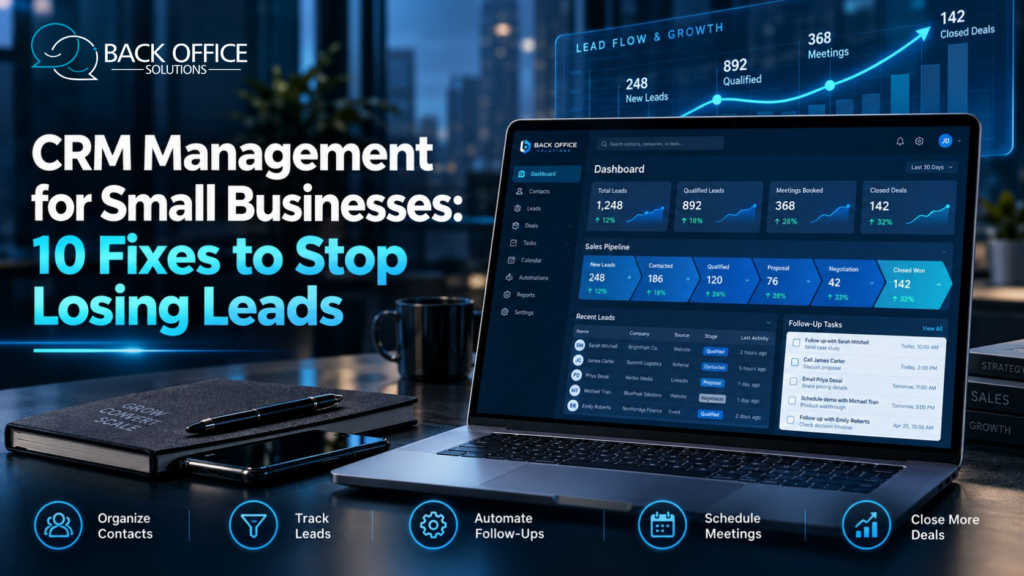
The problem may not be your marketing. It could be how your team tracks leads and handles follow-ups.
Old contact details cause confusion. Missed reminders can cost you opportunities.
That’s where CRM management for small businesses can help.
A clear CRM process keeps leads organized. It also helps your team track conversations.
And the good news? You don’t need a large team or costly software to get started.
In this guide, you’ll discover 10 practical CRM fixes. These tips can help you reduce missed follow-ups and improve your sales process.
What Is CRM Management?
CRM stands for Customer Relationship Management.
A CRM system helps you store customer details and track sales activities. It keeps important information in one place.
Your team can use it to manage:
- Customer contact details
- New sales leads
- Emails and phone calls
- Meeting schedules
- Follow-up reminders
- Sales opportunities
- Customer requests
For example, imagine you run a web design agency.
A business owner contacts you about a website project. Your team adds the inquiry to your CRM.
You can then record the project details and schedule a call. You can also set a follow-up reminder.
Your team can view these details at any time, based on their access permissions.
The goal is simple: stay organized and give every lead proper attention.
Why Is CRM Management Important for Small Businesses?
Small businesses often start with spreadsheets and email inboxes.
These tools may work well when you have only a few customers.
But what happens when your business grows?
More leads bring more calls, messages, and tasks. Without a clear system, your team may lose track of important conversations.
Good CRM management for small businesses can help you:
- Keep customer records organized
- Reduce missed follow-ups
- Track sales opportunities
- Improve team communication
- Save time on routine tasks
- Manage customer requests
- Review sales activity
A CRM won’t close deals for you. But it can help your team manage each sales opportunity.
10 CRM Management Fixes to Stop Losing Leads
1. Clean Up Your CRM Contact Database
Are old contacts filling up your CRM?
Outdated records can waste time. They can also cause confusion.
You may have duplicate names, wrong email addresses, or missing contact details.
Start with a simple CRM data cleanup.
Review your contact records and fix errors. Remove duplicate entries when it is safe to do so.
Update lead details after important conversations.
For example, if a prospect changes their phone number, update the record right away.
Clean data helps your sales team find the right information.
Quick fix: Review your CRM contact data each month.
2. Create a Clear Sales Pipeline
Do you know which leads are ready for a sales call?
A clear sales pipeline can help you find out.
Your pipeline shows where each prospect stands in the buying process.
A small business might use these stages:
New Lead: Someone has shown interest.
Contacted: Your team has reached out.
Qualified: The lead matches your target customer.
Meeting Booked: A sales call is scheduled.
Proposal Sent: You have shared an offer.
Closed Won: The prospect became a customer.
Closed Lost: The sale did not move forward.
Use stages that fit your business.
Avoid adding too many steps. A complex pipeline can confuse your team.
Quick fix: Give every pipeline stage a clear meaning.
3. Give Every Lead a Clear Owner
Imagine two employees contacting the same prospect.
Now imagine nobody follows up. Each employee thinks the other person will handle it.
Both problems can happen when lead ownership is unclear.
Assign every active lead to one team member.
That person should track the next steps and update the CRM.
Your records should show:
- Who owns the lead
- When the last contact happened
- What the prospect needs
- What should happen next
This helps your team work together.
Quick fix: Assign a team member to each new lead.
4. Stop Missing Sales Follow-Ups
A potential customer may like your services but need more time to decide.
If nobody follows up, the conversation may end.
That’s why follow-up management matters.
Create a simple process for staying in touch with interested prospects.
For example:
- Review the customer’s inquiry.
- Send a helpful response.
- Record the conversation in your CRM.
- Set a reminder for the next action.
- Update the lead’s status after each interaction.
Keep your messages useful and relevant.
Respect contact preferences. Stop marketing outreach when someone asks you to stop.
Quick fix: Give every active lead a clear next action.
5. Automate Repetitive CRM Tasks
Your team shouldn’t need to enter the same data into several systems.
CRM automation can help with routine work.
Many CRM tools can:
- Assign incoming leads
- Create reminders
- Send internal alerts
- Update selected fields
- Create follow-up tasks
- Prepare routine reports
For example, a visitor submits a form on your website.
Your CRM creates a new record. It then notifies the right employee.
The employee reviews the request and decides what to do next.
Keep people involved when a task needs judgment.
Quick fix: Automate one simple task first. Test it before adding more.
6. Group Leads Based on Their Needs
Not every prospect wants the same service.
One customer needs SEO support. Another needs a virtual assistant.
CRM segmentation helps you organize contacts into useful groups.
You can group leads by:
- Service interest
- Industry
- Company size
- Location
- Lead source
- Sales stage
For example, you can create one group for web design leads. Keep customer support leads in another.
This helps your team understand what each prospect wants.
It also makes your communication more relevant.
Quick fix: Create a few useful lead groups. Keep them easy to manage.
7. Connect Your Website to Your CRM
Your website may already bring in leads through contact forms.
But what happens after someone submits an inquiry?
Manual data entry takes time. It can also lead to errors.
A suitable integration can send new form submissions to your CRM.
Your team can then review each request from one place.
You can also connect approved email and calendar tools.
This makes it easier to manage conversations and meetings.
Want more people to find your website? Explore our SEO services.
SEO can help improve search visibility. Your CRM can then help you manage the inquiries you receive.
Quick fix: Check whether your website contact form connects to your CRM.
8. Track the Numbers That Matter
Your CRM may show dozens of reports.
But you don’t need to study every chart.
Focus on a few useful sales metrics.
New leads: How many people contact your business?
Qualified leads: How many match your target customers?
Response time: How quickly does your team reply?
Booked meetings: How many leads schedule a sales call?
Sales conversion rate: How many opportunities become customers?
These numbers can help you spot problems.
For example, your website may receive many inquiries but generate few booked meetings.
That could be a reason to review your follow-up process.
Quick fix: Review your main CRM metrics each week.
9. Train Your Team to Use the CRM
Even good software can cause problems when employees don’t know how to use it.
Your team needs clear instructions.
Start with daily tasks.
Show employees how to:
- Add new contacts
- Update lead details
- Change pipeline stages
- Assign tasks
- Record sales calls
- Schedule follow-ups
- Protect customer information
Create a short training guide.
Keep it simple and easy to follow.
When employees use the same process, CRM records become more consistent.
Quick fix: Review one common CRM task during each team training session.
10. Review Your CRM Process Every Month
Your business changes over time.
You may hire employees, offer new services, or receive more leads.
Your CRM should support those changes.
Review your workflow each month.
Ask yourself:
- Are customer records accurate?
- Are we missing follow-ups?
- Does every lead have an owner?
- Are our sales stages clear?
- Is automation working as expected?
- Do employees need more training?
Use the answers to improve your process.
You don’t need to rebuild your CRM every month. Small changes may be enough.
Quick fix: Schedule a monthly CRM review with your team.
How Better CRM Management Works: A Small Business Example
Imagine a marketing agency in the United States.
The agency offers web design, SEO, and content writing.
At first, the team uses email and spreadsheets to track leads.
As inquiries grow, things become harder to manage.
Some prospects receive late replies. Others get duplicate messages.
The agency decides to improve its CRM process.
First, it creates simple pipeline stages.
Next, it connects its website contact form to the CRM.
Each new lead gets assigned to a team member.
The team uses reminders to manage follow-ups.
An assistant helps update CRM records and meeting details.
The agency now has a clearer process for tracking customer inquiries.
This is a fictional example. Actual results will vary.
5 CRM Mistakes That May Be Costing You Opportunities
Even small mistakes can make your sales process harder.
Here are five problems to watch for.
1. Outdated contact information
Wrong details can cause missed messages. Keep customer records current.
2. No clear lead ownership
Assign each lead to the right team member.
3. Missed follow-up tasks
Use CRM reminders and review open tasks.
4. Too much automation
Automate routine work. Review tasks that need human judgment.
5. Poor team training
Give employees clear instructions and useful examples.
Fixing these problems can help your team stay organized.
When Should You Outsource CRM Management?
Does your sales team spend too much time updating records?
Are daily CRM tasks slowing down your work?
It may be time to consider professional CRM management services.
An external support team can help with routine tasks.
These may include:
- CRM data entry
- Contact list cleanup
- Lead tracking
- Pipeline updates
- Follow-up scheduling
- Appointment coordination
- CRM reporting
An assistant can update CRM records. Your sales team can focus on speaking with prospects.
Before outsourcing, check the provider’s experience and data security practices.
Set clear rules for tasks, access, working hours, and reporting.
Good CRM support should make your workflow easier to manage.
Frequently Asked Questions
What is CRM management for small businesses?
CRM management keeps customer data organized. It also helps small teams track leads and follow-ups.
How can CRM management help prevent lost leads?
A CRM can assign leads and store past conversations. It can also create reminders for future tasks.
These tools help your team track open work and contact interested prospects.
What are the best CRM management practices?
Start with clean data and clear sales stages.
Give every lead an owner. Use reminders and train your team.
Review your process on a regular basis.
Can CRM software automate lead follow-ups?
Yes. Many CRM platforms can create reminders and support automated workflows.
Check these workflows for accuracy. Follow relevant communication and consent rules.
Should small businesses outsource CRM management?
Outsourcing can help when CRM updates and follow-ups take too much time.
The right choice depends on your workload, budget, and security needs.
Stop Letting CRM Tasks Slow Down Your Business
Your team needs time for customers, not messy records.
But missed follow-ups and daily admin tasks can get in the way.
Back Office Solutions helps growing businesses manage CRM tasks.
We also provide lead generation, appointment setting, and virtual assistant support.
Our team can help with customer records and routine follow-up tasks.
Need daily support? Choose a virtual assistant. Need help with one task? Ask about our specialist services.
Ready to make your CRM workflow easier to manage?
Explore Back Office Solutions and Discuss Your CRM Support Needs